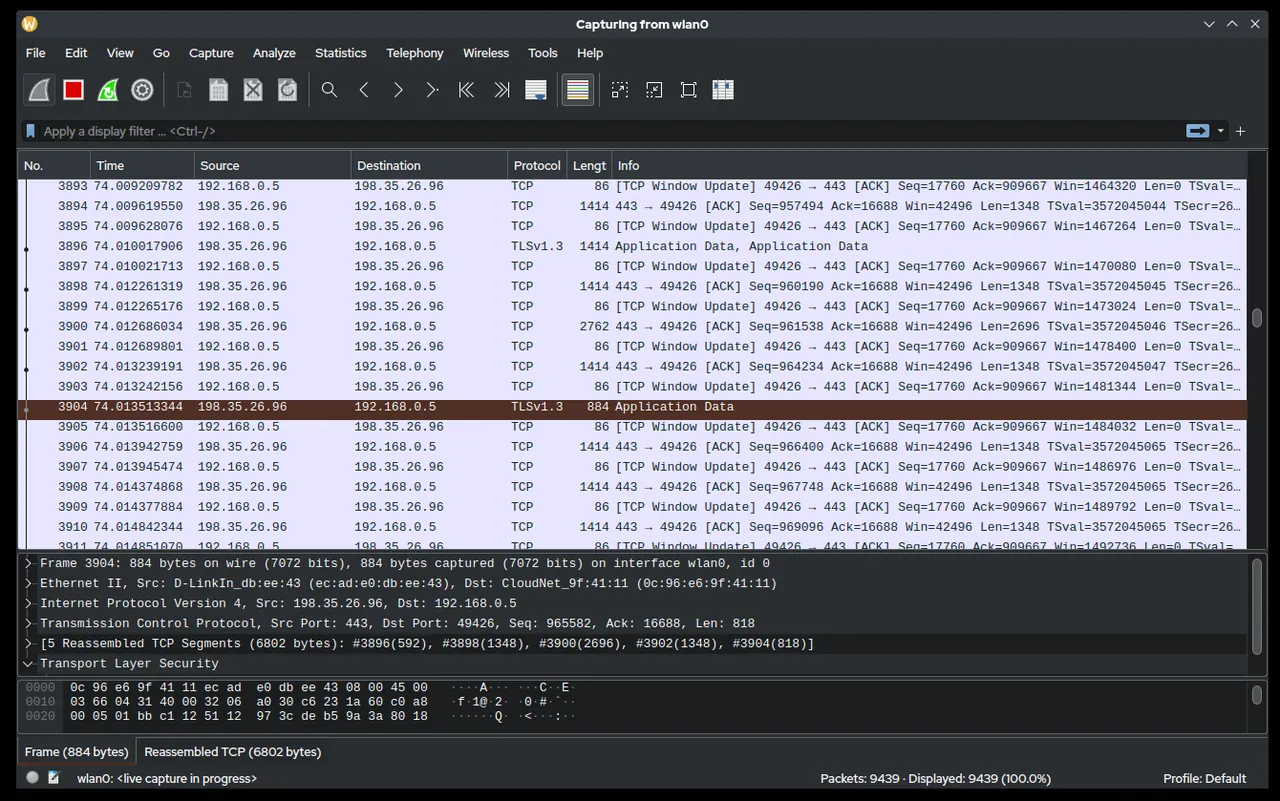
Users on one branch site take ninety seconds to log on; everywhere else it’s ten. Group Policy results look clean, the DC is healthy, and the event logs are unhelpful. Eventually someone captures traffic on a branch PC during logon and sees it: every Kerberos request goes to a DC three sites away because a subnet was never added to AD Sites and Services, and the SMB reads of the logon script crawl across a congested link. Wireshark is the tool that turns “it’s slow” into a timeline of packets. For Windows admins it’s less about networks in the abstract and more about proving what the domain protocols actually did.
What it does
Wireshark captures packets from a network interface, or opens capture files made elsewhere, and dissects them into protocol fields you can filter, follow and graph. For a Windows estate the dissectors that matter are mature:
- Kerberos (TCP/UDP 88): AS-REQ/TGS-REQ, error codes such as
KDC_ERR_PREAUTH_FAILED, the SPN requested. - LDAP (389/636, 3268): binds, searches and result codes.
- SMB2/3 (445): tree connects, create/read/write, and status codes such as
STATUS_ACCESS_DENIED. - DNS, DHCP, NTP, DCE/RPC (135 and dynamic), RDP (3389), WinRM (5985/5986).
Useful display filters in daily work look like kerberos.error_code, smb2.nt_status != 0, ldap.resultCode != 0 or dns.flags.rcode != 0. The Statistics menu gives conversations, endpoints, IO graphs and TCP stream graphs, which help separate server slowness from network loss. Encrypted protocols such as SMB 3 encryption, LDAPS and TLS-wrapped RDP show metadata and timing, not payload, unless you have keys.
As we write this, 4.6.9 is the stable release (September 23, 2026), shipped the same day as 4.4.19. Builds are available for Windows x64 and Arm64 and as a universal macOS image; Linux users typically install from distribution packages or source.
Rights, capture setup and footprint
On Windows, live capture uses the Npcap driver (WinPcap is no longer supported), which is offered during Wireshark installation. Installing a packet capture driver needs local admin; after that, Npcap can be restricted so only administrators can capture, which is a sensible default on shared machines.
Where to capture matters more than how:
- On the endpoint — install Wireshark on the affected PC or server, or avoid installing anything by using the built-in
pktmon(Windows 10 1809+ and Server 2019+) ornetsh trace start capture=yesand converting the result later. - On the switch — a SPAN/mirror port to a capture laptop sees traffic without touching the hosts, but needs network team involvement.
- With a ring buffer — for intermittent issues, the command-line
dumpcapwith a ring buffer (-b filesize:100000 -b files:20) keeps the last couple of gigabytes without filling a disk.
Captures contain whatever crossed the wire: usernames, hostnames, file names, and cleartext data from any unencrypted protocol. Store .pcapng files as confidential, share them only as needed, and delete them once the ticket is closed.
Use only on networks and systems you administer, with your organisation’s authorization. Capturing other people’s traffic without authorization can breach policy and privacy law.
Where it’s strong
- Unmatched protocol depth for Kerberos, SMB, LDAP and DNS troubleshooting.
- Free and open source under GPLv2, with an active project and regular maintenance releases.
- Works with captures from other tools, including converted
pktmonandnetsh traceoutput, so you can analyse on your own workstation. - Command-line companions (
tshark,dumpcap) for scripted or remote captures.
Where it falls short and who should skip it
The learning curve is steep. A capture without a question is a haystack, and interpreting Kerberos or SMB flows needs protocol knowledge the tool won’t teach you. Installing a capture driver on production servers needs change control, and on busy servers GUI capture can drop packets — use dumpcap instead. Encryption increasingly hides payloads, so much Windows troubleshooting ends at “the server returned an error at this time” rather than full content. For simple questions like “is port 445 open” or “which process owns this connection”, lighter tools are faster.
Who it suits
Admins who own escalations: slow logons, authentication failures, SMB performance, DNS weirdness, RDP disconnects. It suits anyone who needs evidence to bring to the network team or a vendor, rather than a hunch.
Licensing and cost
Wireshark is released under the GNU General Public License version 2 and costs nothing. Npcap has its own licence terms, which are free for typical end-user installation alongside Wireshark; check its terms if you plan to redistribute it or deploy at scale.
How it compares
Wireshark picks up after host discovery tools like Angry IP Scanner find what’s alive, and after Sysinternals TCPView tells you which process owns a socket. Windows Admin Center includes a packet monitor tool in some versions for quick server-side captures. Browse the rest in Server & Workstation Triage.
Getting it safely
Get Wireshark from wireshark.org. The project publishes a PGP-signed SIGNATURES file for each release listing SHA-256 hashes; compare with Get-FileHash -Algorithm SHA256 and check the Authenticode signature too. Our where to get it page explains the routine.
FAQ
Do I have to install Wireshark on the server I’m troubleshooting?
No. Capture with the built-in pktmon or netsh trace on the server, or from a SPAN port, and analyse the file on your workstation.
Why can’t I see the contents of SMB traffic?
If SMB encryption is on, payloads are encrypted; Wireshark still shows headers, timing and status codes, which are often enough.
What replaced WinPcap?
Npcap. Wireshark on Windows uses Npcap for live capture; WinPcap is no longer supported.
Is a Kerberos error in a capture always a problem?
No. KDC_ERR_PREAUTH_REQUIRED is a normal part of the first exchange. Look for errors like KDC_ERR_S_PRINCIPAL_UNKNOWN or clock skew instead.